Bakin Plugin: Camera Reset to Backview
A downloadable game
This script replaces Bakin's default camera reset function with resetting the camera to the backview of the main character.
============ How to use ===========
If you want to apply this function to your own project, you need to follow the steps below:
1. Copy the Roback.cs to the \script folder in your game project.
2. Copy the common event and make sure the 'Roback.cs' is selected on left bottom corner of the event page. Also check whether the switch name is 'autocam' (as sometimes duplicating events may generate a 'autocam_1')
3. (Important!) You also need to disable the system default camera-reseting key/button by adding two slashes in front of the lines in Bakin Editor > Game Definition > Move Operate > Key/Button Assignment (see screenshot below)
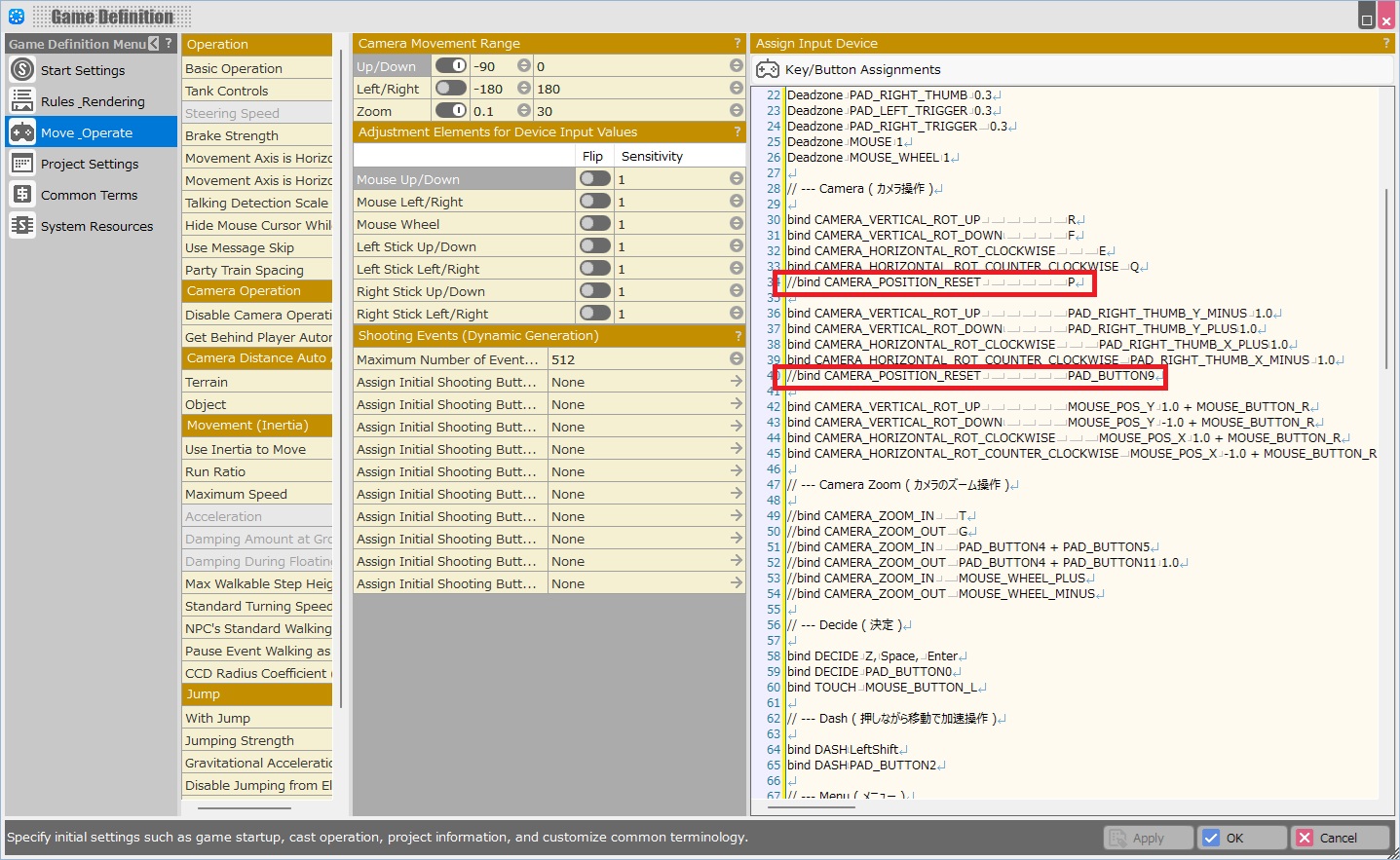
and bind a key/button to ACTION9 (see the screenshot below)
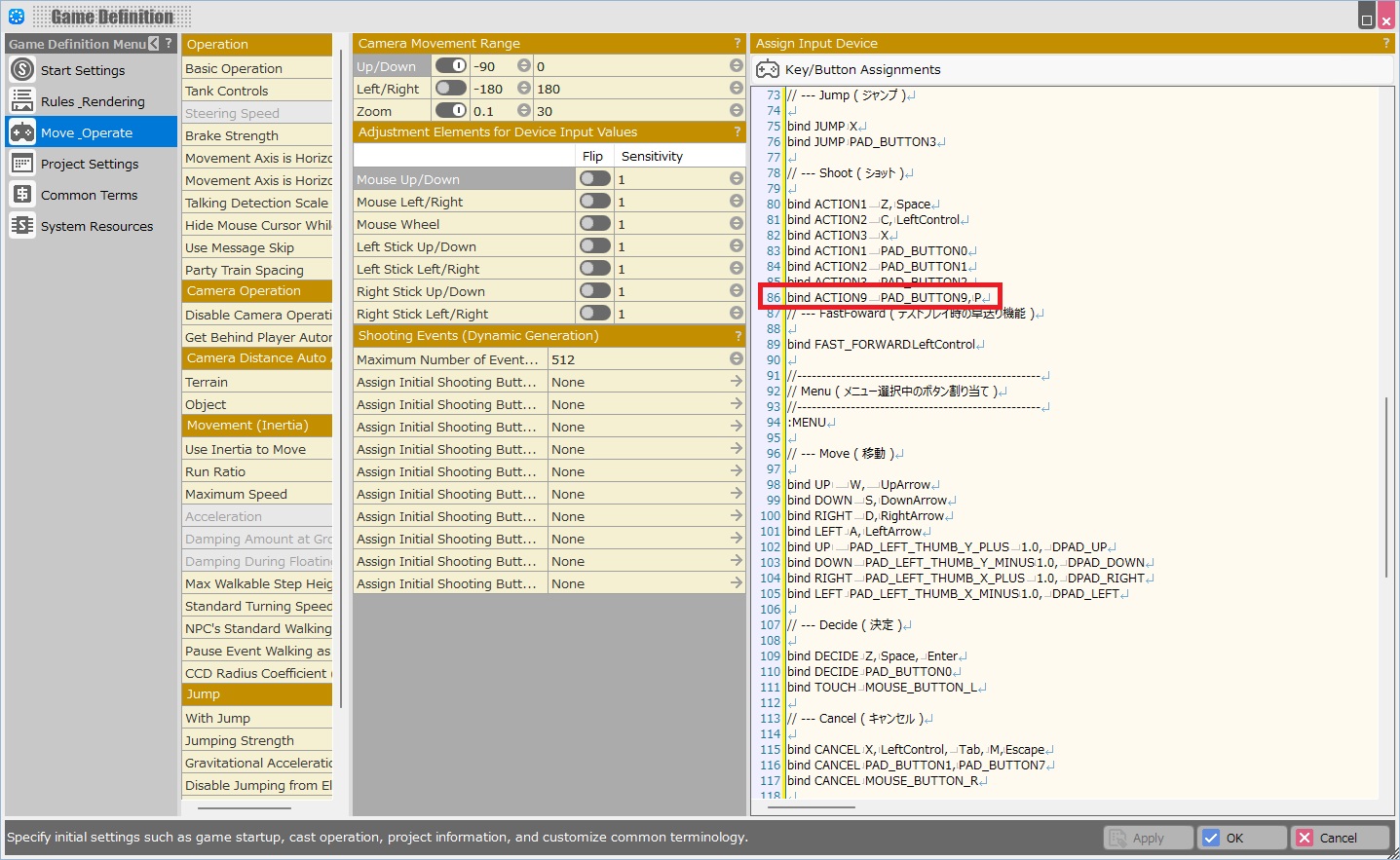
============ How to customise ===========
Descriptions and instructions are detailed within the script.
You can adjust the camera moving speed by changing the figures in the script using VS or VS code (or even a text editor) .
============Term of Use ============
You can use this script for both commercial and non-commercial purpose.
You are suggested but not required to include the copyright notice to Knifish Games.
Please do not sell this script directly as a product.
Author: Knifish Games
Download
Click download now to get access to the following files:
Leave a comment
Log in with itch.io to leave a comment.